Grant tiers from your provider (role bindings)
With a roles claim, your directory decides who holds which tier in Hikube. A role binding associates a value of this claim (a group or role name of your directory) with a tier, on the organization or on one of its projects.
Example for the acme organization:
| Claim value | Scope | Tier |
|---|---|---|
acme-devs | Organization | Use |
web-admins | Project web | Admin |
A person in the acme-devs group receives Use on the whole organization at sign-in. A person in web-admins receives Admin on the web project.
A single source of rights per connection
| Roles claim | Where the tiers of SSO accounts come from |
|---|---|
| Set (Entra ID app roles, Okta groups…) | From role bindings only. They are no longer granted, changed or removed in Hikube: change them in your directory |
| Empty (Google Workspace, whose token carries no groups) | From Hikube: an administrator grants them from the members page. The connection has no role binding |
When tiers come from the provider, the members page shows on these accounts: Tiers granted by the identity provider: change them in your directory. Such a person also cannot leave the organization or accept an invitation that would give them a tier.
Accounts that sign in with a Hikube password are never affected: their tiers are always granted in Hikube.
A role binding grants Read, Use or Admin. Never Super admin: this tier stays with accounts that sign in with a Hikube password and a second factor.
At every sign-in
A person receives the tier of each role binding whose value their ID token carries. They lose the tier of each role binding whose value has disappeared, unless another role binding grants the same tier.
- A person removed from a group at your provider loses the tier at their next sign-in.
- A token without the roles claim grants no tier.
- The value is compared as is, case and spaces included.
Set up role bindings
Prerequisites: the Super admin tier, and an SSO connection created (see Create the SSO connection).
1. Set the roles claim
- Open Organization members, SSO connection tab.
- Click Edit settings.
- In Roles claim, enter the name of the claim, for example
groups(Okta) orroles(Entra ID app roles). - Click Save.
Setting the roles claim removes the tiers granted in Hikube to the connection's SSO accounts. These accounts are signed out. Role bindings decide from then on. Create them right after, then ask people to sign in again.
2. Add a role binding
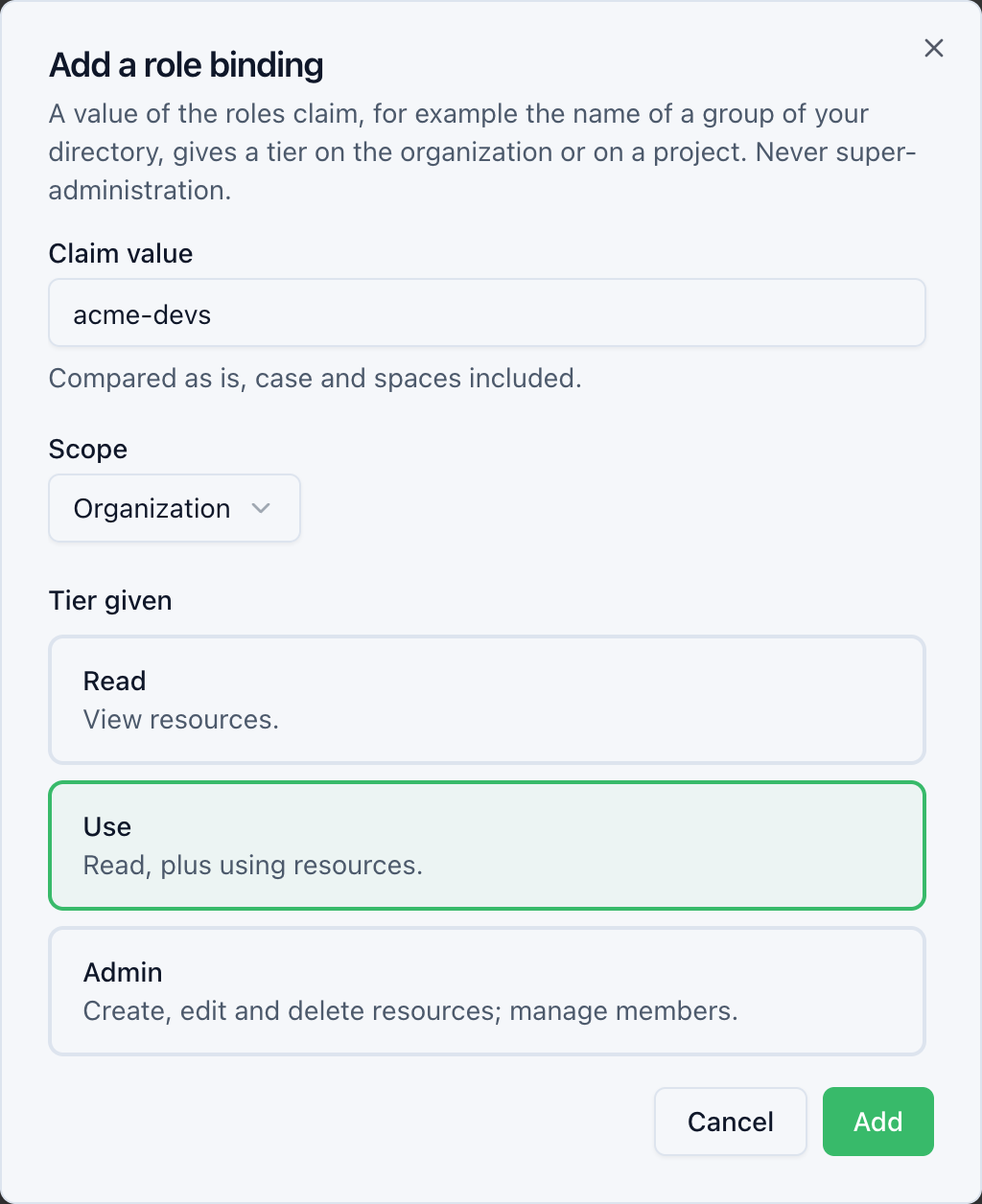
- In the Role bindings section, click Add a role binding.
- Claim value:
acme-devs. - Scope: Organization, or a project.
- Tier given: Use.
- Click Add.
The console shows Role binding of “acme-devs” added. It applies at the next sign-in.
Repeat for each group. A connection carries at most 256 role bindings, and a value appears only once in it.
3. Edit or delete a role binding
- Edit: change the value, the scope or the tier, then Save.
- Delete: confirm Delete.
SSO accounts that held the former tier lose it, unless another role binding grants it. They are signed out: their access ends within 5 minutes at most. Their next sign-in gives exactly what the remaining role bindings grant.
Change source
- Clearing the roles claim deletes all role bindings and the tiers they granted. The accounts concerned are signed out. Tiers are then granted in Hikube.
- Deleting a project deletes the role bindings that target it, with the tiers they granted.
- A person who hands an account with a password over to the organization keeps their tiers until their first sign-in through the provider. Then, their tiers granted in Hikube are removed and role bindings decide.
Access review
The access review shows, for each tier of an SSO account, the Identity provider source, the connection and the role bindings that grant it.